
スマートカンファレンス ヘルプ
Q
How to Update Submitted Presentation Data
If you’ve already uploaded your presentation data but need to submit an updated version, follow these steps:
Click the “Upload Presentation” button, just as you did when submitting the original file.
※Please be aware that re-uploading will overwrite the original data. If necessary, please save the original data yourself.
Refer to this guide for detailed instructions: [How to Upload Presentation Data].
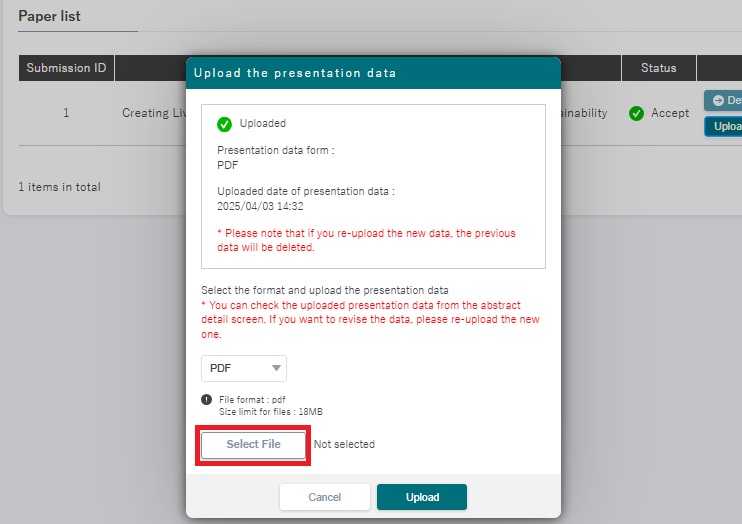
A window will appear (as shown below). Click “Select files” and choose your replacement file.
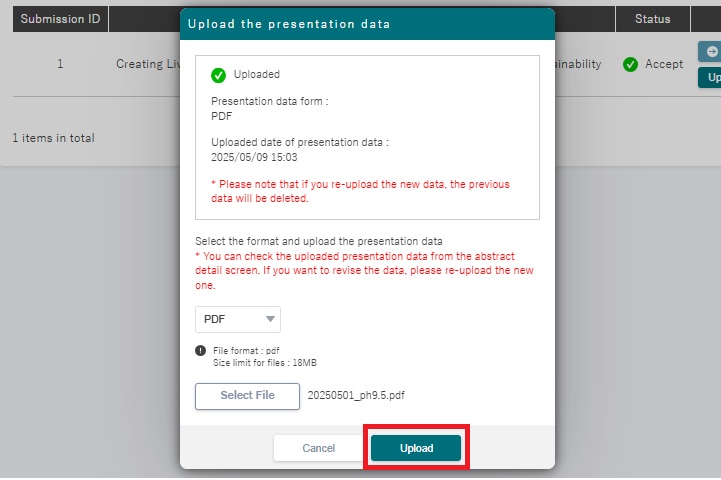
Click “Upload” to overwrite your previous submission.
※Please do not close your browser until the upload is complete.
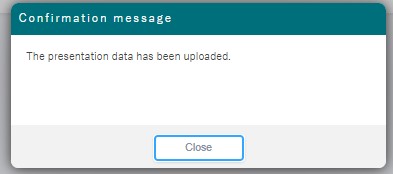
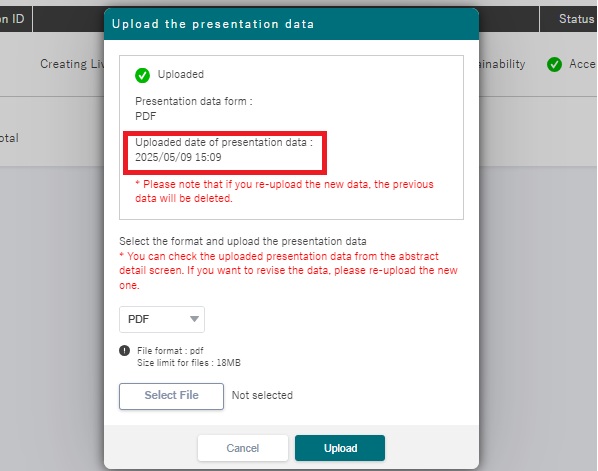
After the file upload is complete, the upload date and time in the file selection pop-up window will be updated.
お問い合わせをご希望のお客さまへ
操作方法に関するお問い合わせ、製品の導入検討のお問い合わせなど
お客さまの疑問にお答えする各種サポート・サービスについてご案内します。